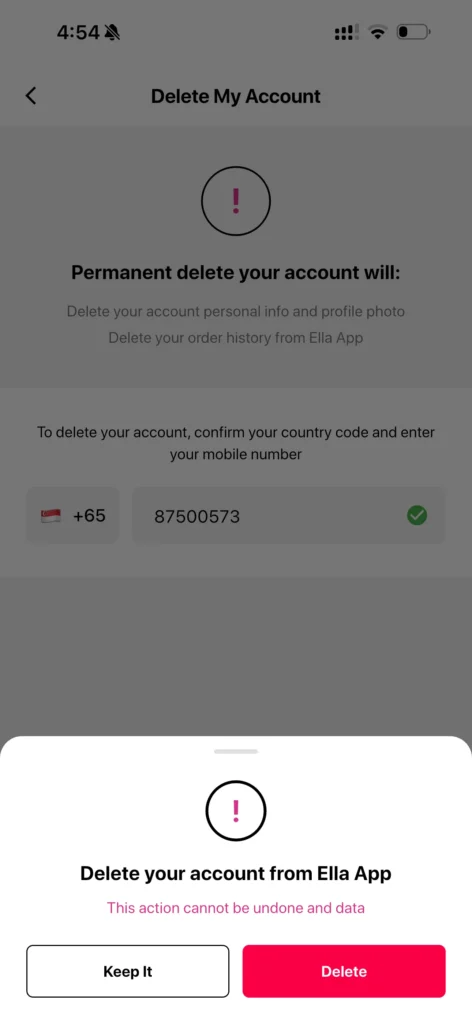
How to delete/remove your account
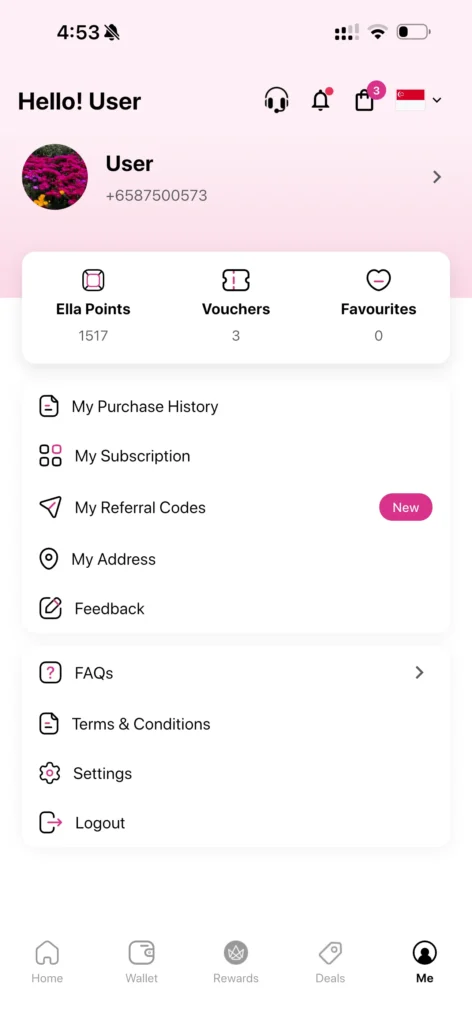
Step 1: Open the ‘Me’ tab and tap ‘Settings’.
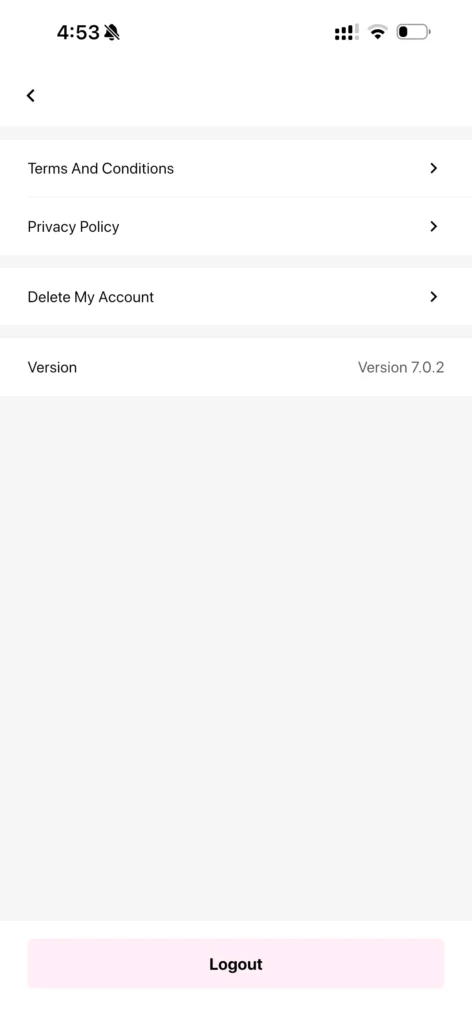
Step 2: Select ‘Delete My Account’ from the settings page.
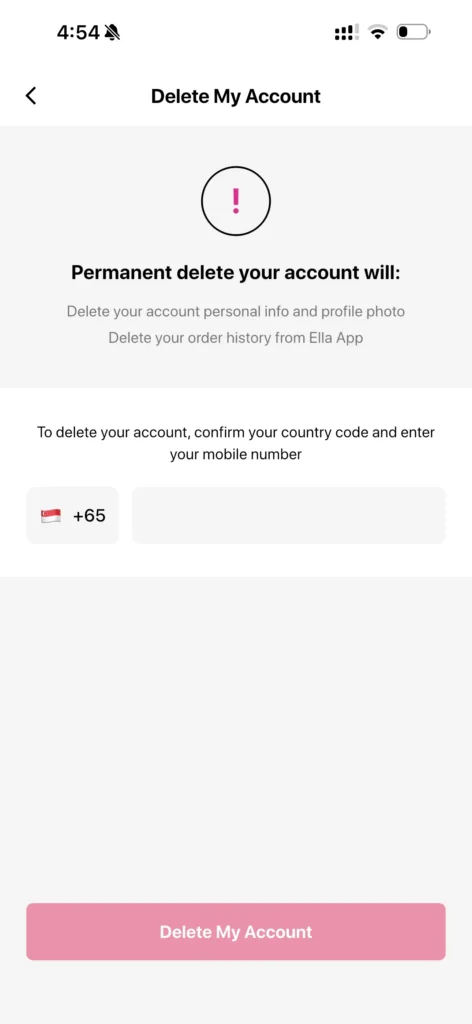
Step 3: Review the account deletion information.
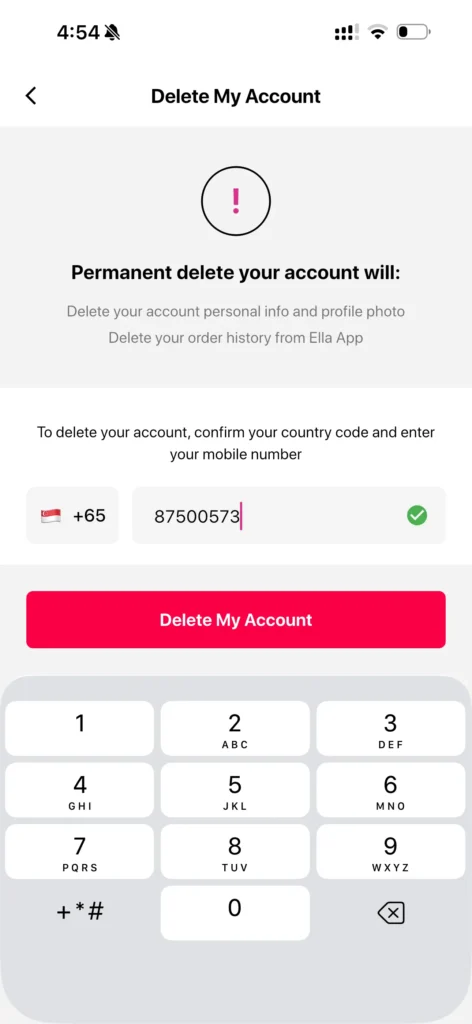
Step 4: Enter and verify your registered mobile number.
Step 5: Tap ‘Delete My Account’.
Data Policy
Your phone number, email address, and contact information are deleted along with your account.
Contact Us
help@crowndigital.com